

Trasforma i dati in decisioni con Oasis montaj.
Visualizza, analizza e integra tutti i tuoi dati geoscientifici.
Adalta è Rivenditore Ufficiale e Importatore Diretto per l’Italia di Seequent Oasis montaj. Richiesta quotazione…
Perché scegliere Oasis montaj
Da più di 30 anni, definisce lo standard nella modellazione geofisica
… e in continua evoluzione
Elaborare i big data con facilità
Visualizzazione, QA/QC, trasformazione e analisi di tutti i dati grezzi – geologia, geochimica e geofisica con potenti funzionalità di modellazione 2D e 3D.
Valutare e sperimentare rapidamente grandi serie di dati in tempo reale, eseguendo numerosi filtri e processi. Allineamento spaziale di tutti i dati con proiezione di coordinate in tempo reale.
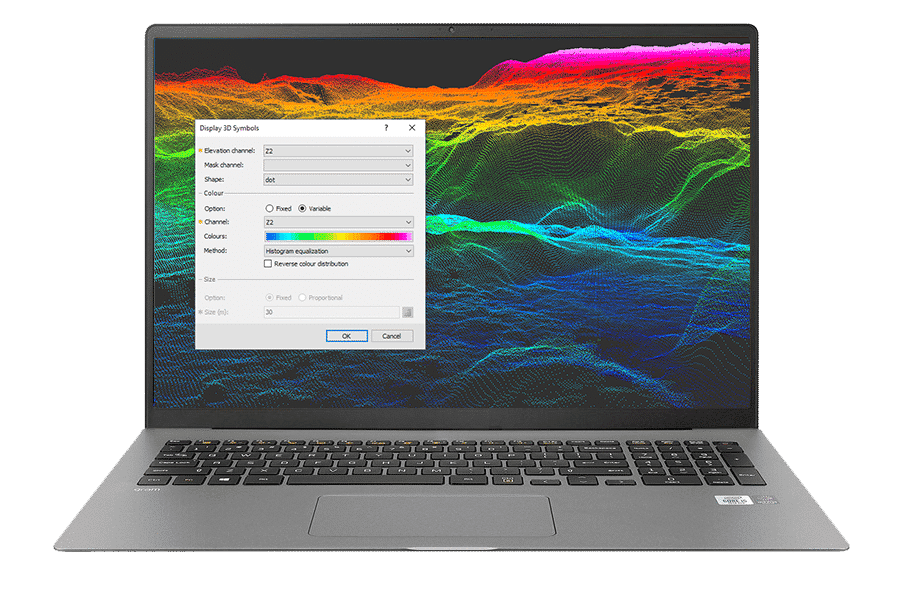
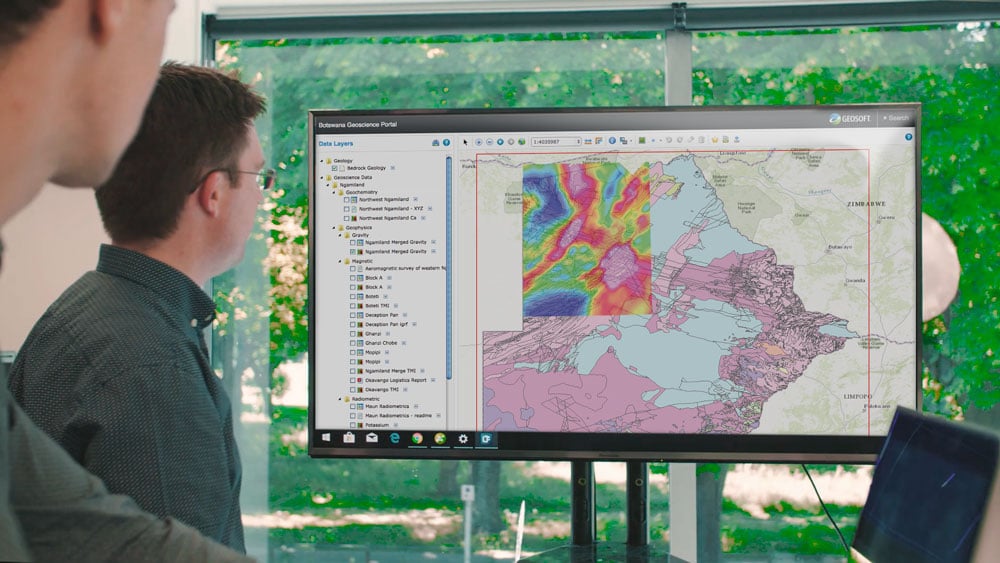
Integrare tutti i dati di geoscienze
Importazione, sovrapposizione e lavoro con oltre 50 formati comuni, dal CAD al GIS, alla pianificazione e modellazione mineraria. Importazione diretta di dati da molti archivi di geoscienze online.
Riunite i dati delle geoscienze per costruire il modello più completo e passate facilmente i file ai team che lavorano con formati diversi. Codificate i vostri processi attraverso l’open API di Oasis montaj.
Personalizzazione dei flussi di lavoro
Ogni progetto è unico. Registrate e automatizzate le attività di elaborazione dati ripetitive e complesse. Semplificate i flussi di lavoro del team e risparmiate tempo, in modo da potervi concentrare sulla generazione di informazioni.
Inoltre, è possibile aggiungere strumenti e flussi di lavoro specifici per i dati geoscientifici necessari con le estensioni di Oasis montaj.
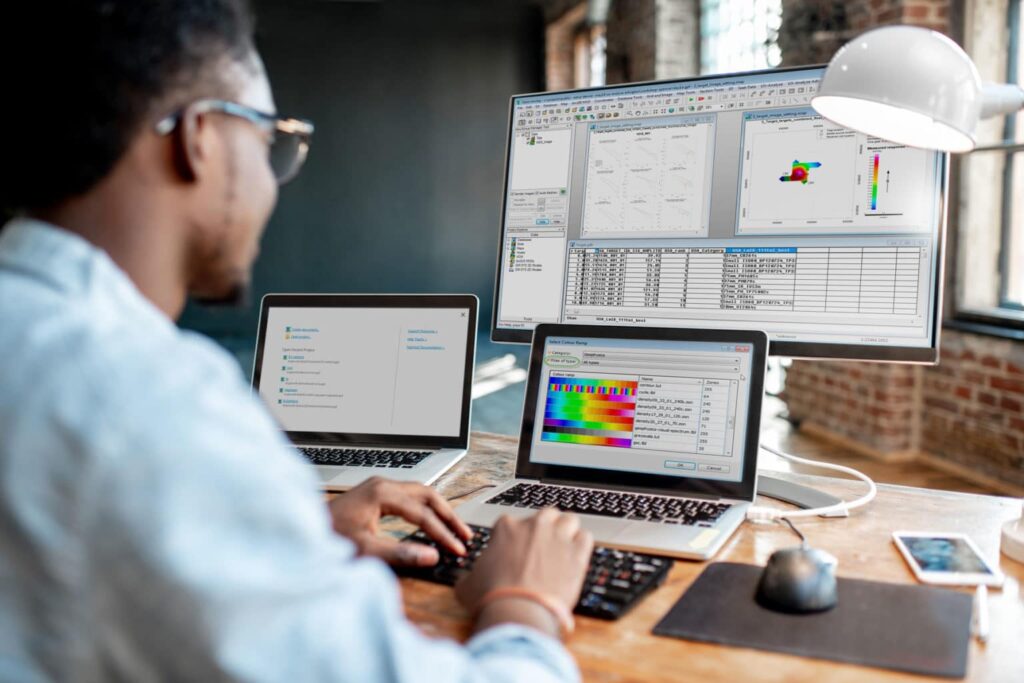
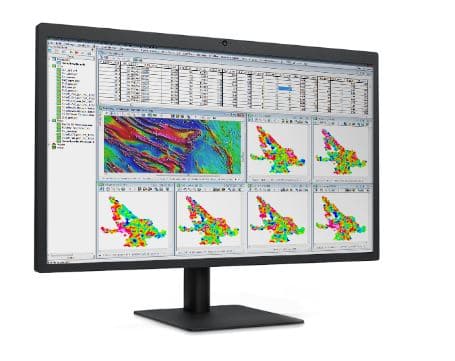
Estendere la vostra potenza di elaborazione dei dati
Scegliete tra le oltre 25 estensioni di Oasis montaj per visualizzare, QA/QC, elaborare e interpretare dati specializzati, tra cui rilievi a terra e aerei/UAV, magnetismo e gravità, resistività, radiometria, geochimica e geologia.
Scoprite di più sulla potenza e la flessibilità di Oasis montaj
Migliorare l’analisi dei dati geoscientifici
Lavorate senza problemi in ambienti GIS e di geoscienza grazie all’integrazione Esri integrata e alla connettività plug-in con MapInfo.
Import and organise project data
Import and work with more than 50 supported data types and formats. Efficiently store large geoscientific datasets in high-performance databases to improve data access.
Real-time coordinate projection
Have data in Latitude and Longitude, and in Easting and Northing? Oasis montaj automatically aligns geospatial information when you overlay data, no matter the format. Re-project data into another coordinate system in real time so you always know you’re in the right place.
Visualise geoscience data
View, manipulate, and analyse geophysics, geology and geochemistry, and data with powerful 2D and 3D modelling capabilities. Quickly create detailed models to visualise and clearly communicate your insights to other teams and stakeholders.
Integrate surface and subsurface maps
Create integrated maps using geology, geophysics, geochemistry, GIS data, and satellite imagery to increase your subsurface understanding. Create grids, add contours, geophysics, and remote sensing data to enhance your interpretations and guide decision-making.
Apply fast gridding techniques
Interpolate data to produce grids using minimum curvature, bi-directional, multi-trend, direct, tinning, or kriging gridding routines. Quickly produce 3D grids (voxels), using direct gridding, IDW, or kriging algorithms optimised for large-volume geoscience data.
Merge geophysical grids
Rapidly and accurately merge geophysical grids regardless of cell size, projection, or grid type with two advanced methods. A blending method for smoothly merging grids and a suturing method for manually defining the join path.
Find and extract geospatial data
Find, display, and extract geospatial data from a variety of data servers for complete investigation and informed decision making. Search internal as well as public servers, including Geosoft DAP and WMS servers without leaving Oasis montaj.
Link common features or areas of interest
Click on a point on a map and immediately see the exact data point within the database, profile, graph, map, model and/or data view in one, two and three dimensions to make QA/QC, anomaly location, and target selection more efficient.
Easily connect between Oasis montaj and GIS or specialised modelling applications with available plug-ins and data conversion options. Esri technology is built-in to ensure seamless creation.
Nuove caratteristiche in Oasis montaj 2025.2
Oasis montaj 2025.2 delivers a major update to radiometric data processing with the introduction of a new Radiometric Extension, faster gravity data processing, and practical updates to streamline your workflows.
What’s new in 2025.2:
- Radiometric Extension: Developed with Medusa Radiometrics, this extension supports data from modern sensors (up to 4096+ channels) in a single, guided workflow. Smooth spectra with NASVD or low-pass filtering, automate repetitive steps, and follow IAEA standards by default. The new extension replaces both the 256 Channel system and Praga.
- Faster gravity terrain corrections: As a technical preview, high-resolution terrain corrections now run up to 100x faster using Evo compute services. Large datasets are processed in the background, so you can keep working without interruption.
- Nettleton Cross-Correlation tool: Compare Bouguer anomaly densities and select the most appropriate value for your survey, supporting best practice and improving result reliability.
- Menus grouped by product: Find tools quickly and see what’s included in each package or extension.
- Row highlighting in databases: Compare data across channels at a glance and reduce mistakes with multi-channel datasets.
- Direct access to map layer parameters: Access parameters from context menus in both the map and Map Manager windows for faster updates and troubleshooting.
- Smoother Evo instance selection: Improved integration for connecting to the right Evo instance and managing data processing tasks.
- ArcGIS Pro 3.3+ LYRX file support: Import the latest LYRX files for compatibility with current GIS workflows.
Maintained 256 Channel users will receive the new Radiometric Extension automatically. Praga is being retired.
A more complete list of the new features can be found here:
All the new features introduced in the latest version are detailed in the “Release Notes” PDF Brochure:
Tipologie di licenza per Oasis montaj
Oasis montaj è disponibile in versione Shared (Condivisa) che consente l’utilizzo del software da parte di più utenti della stessa organizzazione, o in versione Named (Nominale/Personale) che consente l’utilizzo SOLO all’utente intestatario della licenza.
Oasis montaj è distribuito solo in licenza con sottoscrizione annuale.
Requisiti di sistema per Oasis montaj
Sul sito Seequent sono dettagliati i Requisiti di Sistema minimi e quelli consigliati per Oasis montaj …