

Approfondite la conoscenza dei vostri dati.
Grapher è un ottimo software tecnico di grafica scientifica per chiunque abbia necessità di creare grafici di grande qualità velocemente e facilmente.
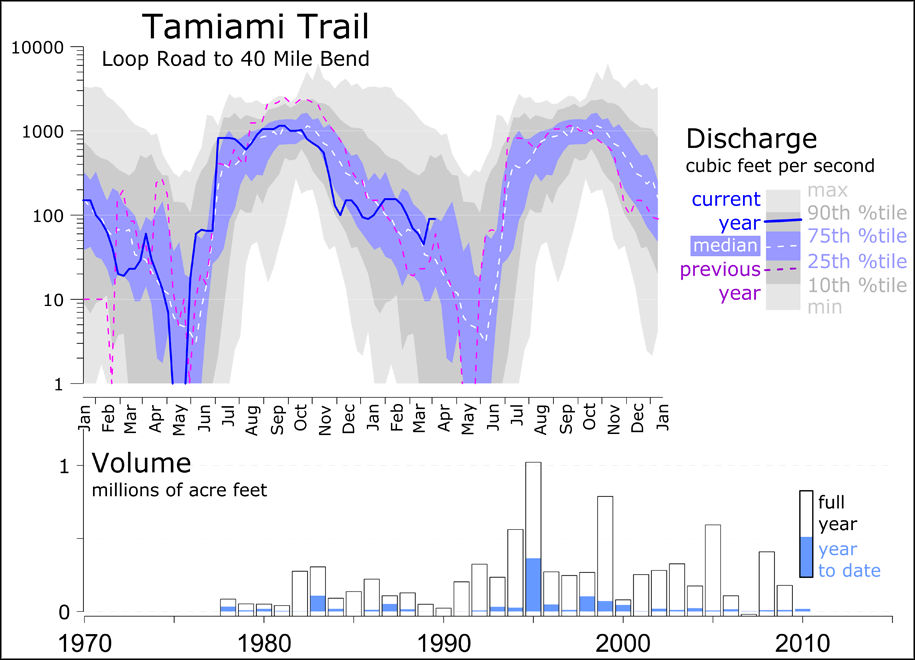
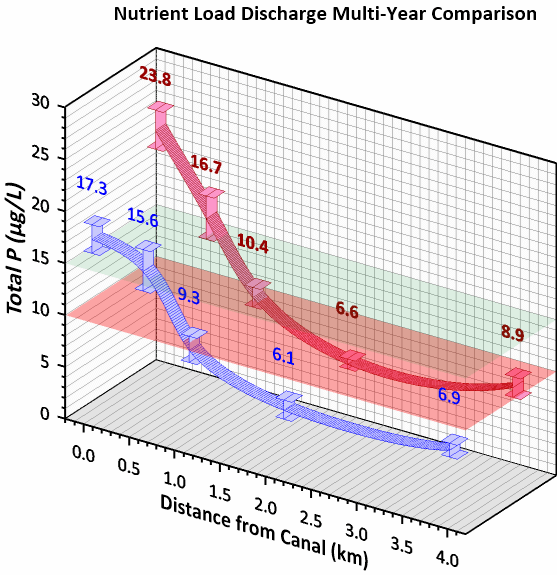
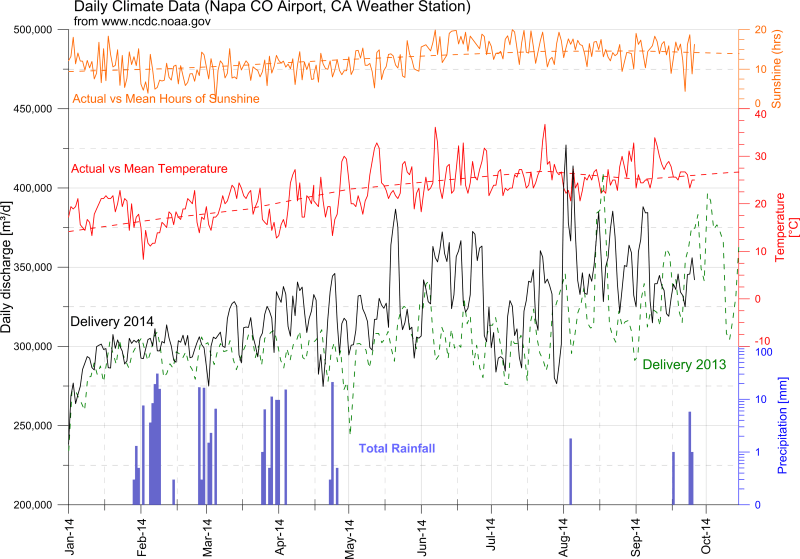
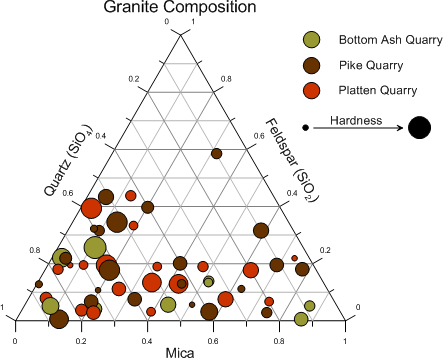
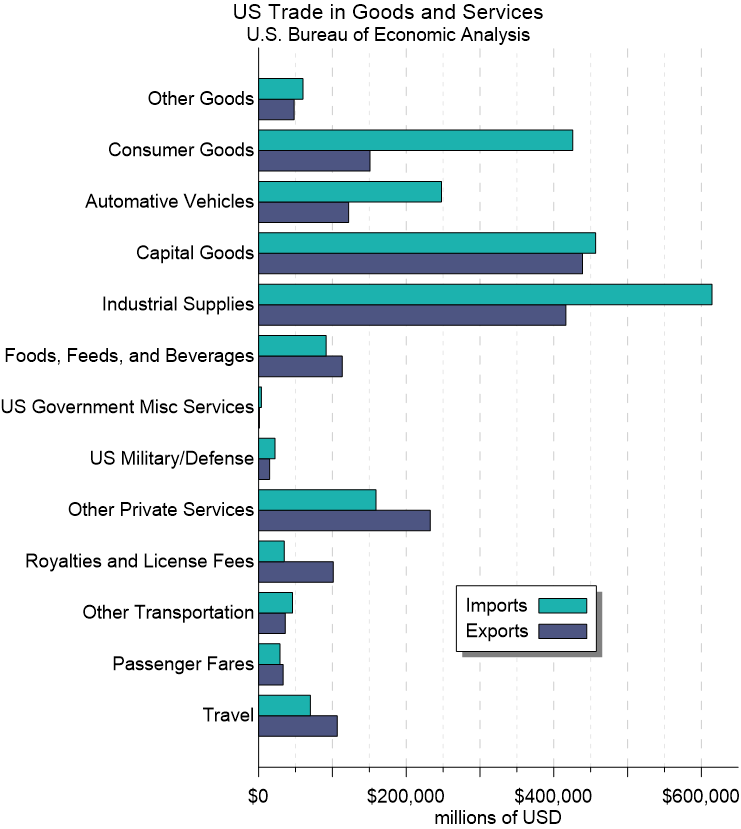
Con Grapher si può scegliere tra 80 formati di grafici diversi: linear o logarithmic line, scatter, bar charts, histograms e 2D o 3D, ecc. Tra i grafici disponibili troviamo grafici specialistici inclusi ternary, box-whisker, bubble plots, pie charts e hi-low-close plots.
I grafici possono essere personalizzati a proprio piacimento aggiungendo legende, analisi delle curve, testi e oggetti disegnati.
Adalta è Rivenditore Ufficiale e Importatore Diretto per l’Italia di Golden Grapher. Richiesta quotazione…
Manutenzione
A cosa serve Grapher?
Grapher helps engineers and scientists interpret and communicate complex datasets with unparalleled accuracy and elegance.
Visualize the Future: Today’s Data, Tomorrow’s Solution
You’re pressed for time with demanding clients, budget pressures, and an ever growing to-do list. You’re also passionate about your work and finding effective solutions to real world problems. Your challenge is communicating these solutions to a broad range of audiences while accurately reflecting the depth of your expertise.
Whether you’re generating plots for an industry presentation, updating quarterly reports for a client’s decommission project, or analyzing the environmental impact over time, Grapher not only conveys complex information clearly, it helps you do it with unparalleled accuracy and elegance.
No Compromising
Your visuals should reflect the depth of your expertise and height of your standards, every time.
Limited only by your imagination, Grapher offers an extensive set of plot types and analysis tools, as well as a robust arsenal of customization options, ensuring your work stands out in any presentation and is worthy of your signature.

Plethora of Plots
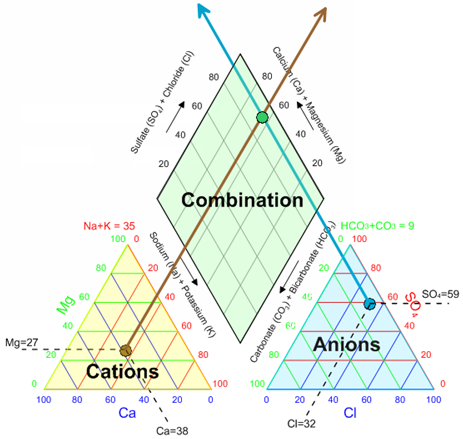
Create stunning and informative 2D and 3D plots. Choose from 80+ different plot types including all standard plots and extensive specialty plots like Piper, Durov, stiff, polar, and function.

Complete Compatibility
Seamlessly visualize and analyze data from multiple sources. Import file formats like ACCDB, DBF, and XLSX, and export to popular formats like PDF, TIF, and PNG.

Reveal Insights
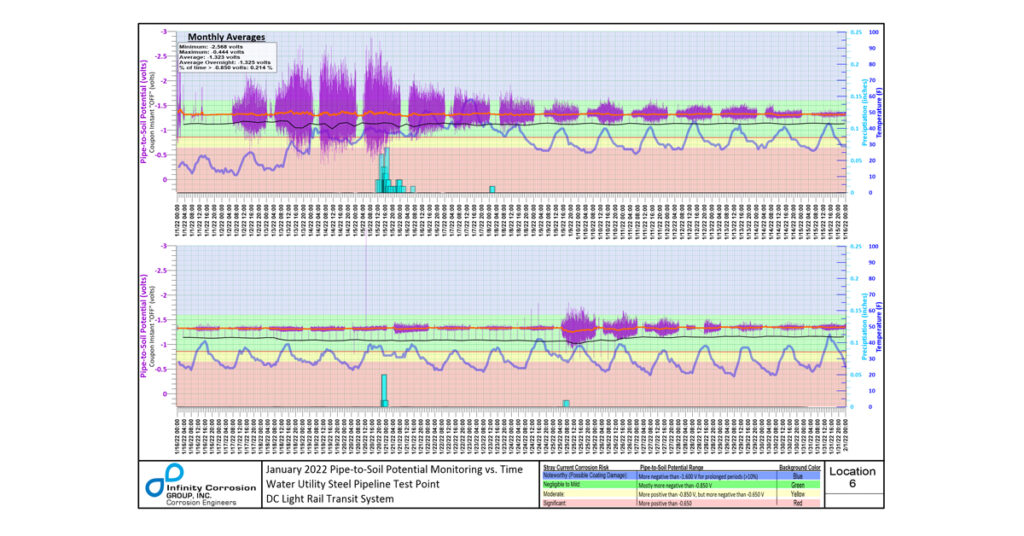
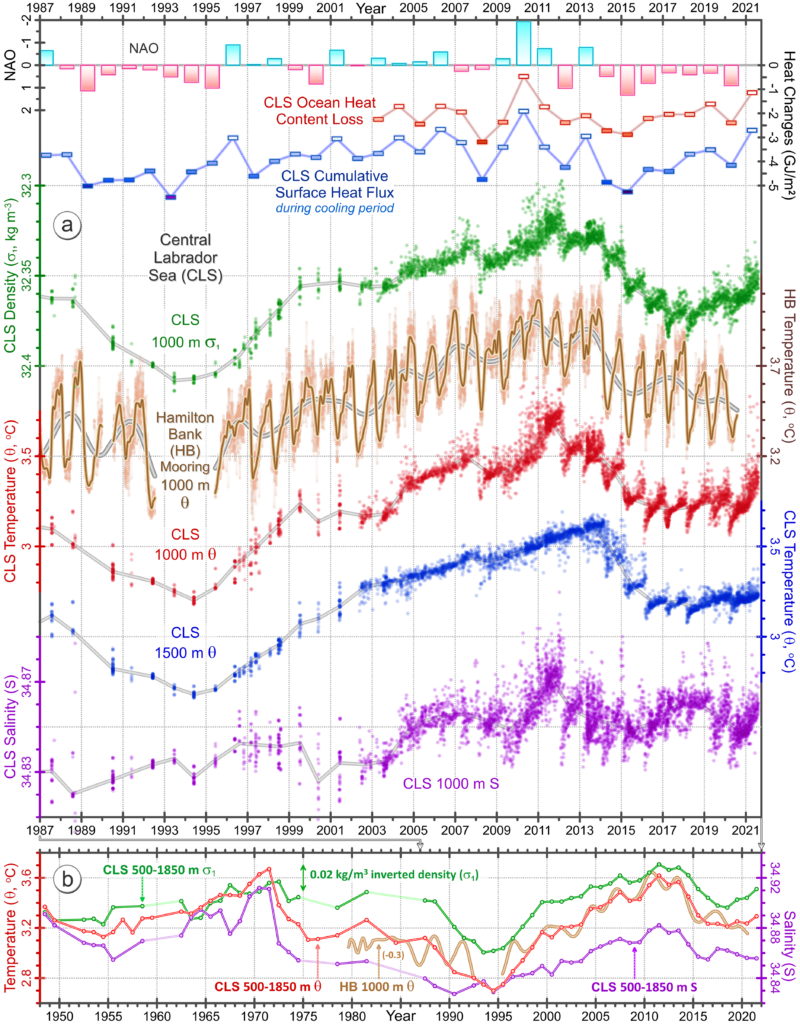
Make informed decisions by discovering trends and opportunities hiding in data. Apply custom or pre-defined fit curves, error bars, or compute statistics on the raw data for a thorough understanding.

Unlimited Customizations
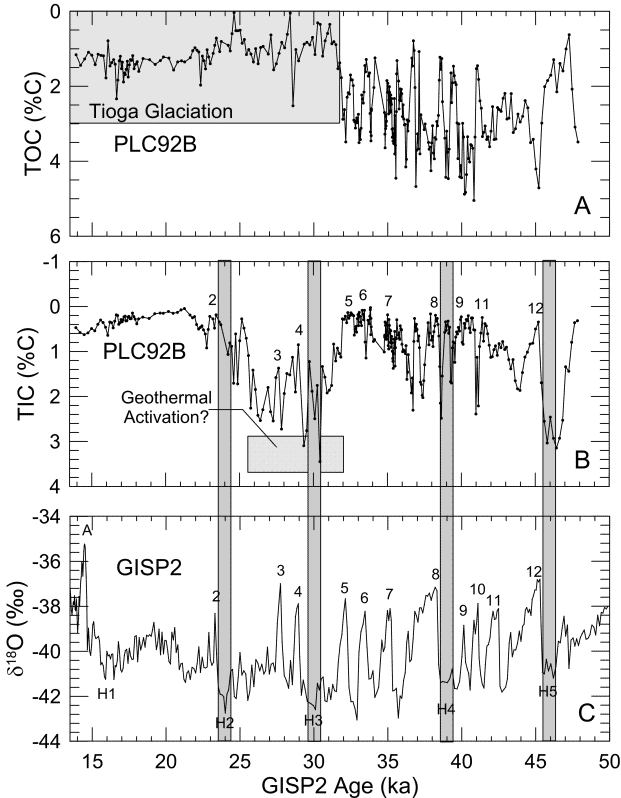
If you can imagine it, you can create it. Add title blocks, legends, multiple axes, and plot magnifiers. Customize axis scales, combine multiple graphs, and define custom line styles, colors and fills.
Work Smart, Not Hard
Automate tedious workflows, maximize your impact.
Data visualization often involves tedious processes that can bog down even the most seasoned professionals. Grapher empowers you with cutting-edge tools that streamline the painstaking aspects of data visualization, allowing you to focus on more complex, creative, and impactful endeavors.

Streamlined Workflows
Transform raw data into compelling visuals with just a few clicks. Effortlessly navigate Grapher’s user interface, generate templates for repeated use, and customize the user interface or default settings for maximum efficiency.

Automation
Eliminate human error and time consuming clicks. Use the built-in script recorder or write your own scripts to automate repetitive tasks, freeing up valuable time to focus on more impactful endeavors.

Graph Wizard
Ensure adherence to best practices at every stage of the plot creation process with the Graph Wizard. Providing a guiding hand to both novice and users alike, the wizard guarantees the final plot is both accurate and elegant.

Get Inspired
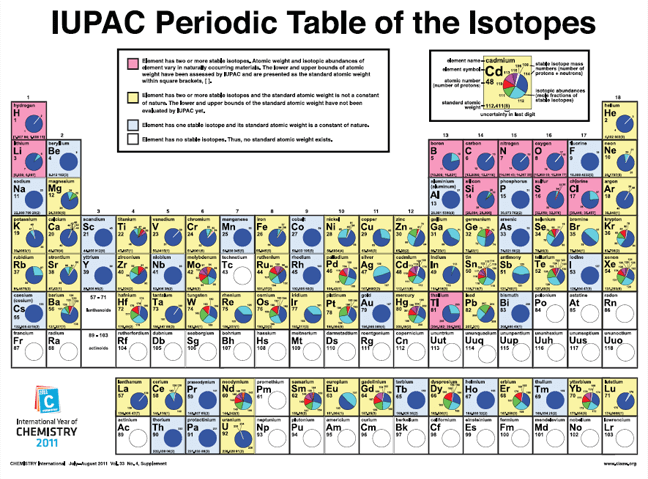
Determine the most appropriate plot type for your data or explore new ways to represent data with the graph gallery. This visual catalog shows all plot types that are possible with Grapher.
Facilitate Understanding Across Audiences
Grapher facilitates ‘Aha!’ moments for technical and non-technical audiences alike.
Introduce fresh perspectives and foster collaboration by sharing your work with colleagues, stakeholders, and others in your industry. When exporting to high quality formats like PDF or TIFF, your plots are ready for publication. Share your work online by exporting to PNG or SVG formats, or insert directly into Microsoft Word or PowerPoint with a simple copy and paste.
Cosa c’è di nuovo in Grapher 27?
L’ultima versione di Grapher presenta numerose novità!
Le principali sono elencate di seguito.
Un elenco più completo delle nuove funzionalità è disponibile qui:
Bubble fill by colormap
A brand new way to present multivariable data! Bubble plots now give more fill options allowing you to define the colors using numeric data. Take your communication to the next level by creating colormaps based on data to display as the fill for your bubble plots to demonstrate how that additional element ties in with the rest of your data. You can even fine tune the data values corresponding with the colors and opacities using the highly customizable Colormap Editor or just take Grapher’s beautiful gradients as they are.
Bar charts fill by colormap
Take your bar charts beyond simple categorical comparisons. You can now apply a colormap to bar fills based on a secondary numeric data variable, adding an entirely new dimension to your analysis. For environmental consultants and geologists, this is a game-changer for compliance and reporting. For example, you can plot total volatile organic compound (VOC) concentrations across various monitoring wells and color-code the bars based on regulatory exceedance thresholds or risk levels. Instantly communicate severity alongside magnitude, making your site assessment reports and stakeholder presentations clearer, faster, and more impactful.
Snap shapes while drawing
Drawing polylines and polygons has been enhanced to allow you to snap a vertex while drawing not only to other objects, but also to axes or plot points! This opens up a broad range of creative and customizable elements that are not only easy to create, but super precise and aligned on your graph for those final touches.
If you are highlighting a specific contamination plume on a scatter plot, delineating stratigraphic layers, or drawing a precise groundwater table boundary across a cross-section, you can now snap your polyline directly to the relevant well data points or axis markers. No more zooming in and guessing—get perfectly aligned, presentation-ready annotations in a fraction of the time.
Requisiti di sistema di Grapher
I requisiti di sistema di Grapher sono elencati di seguito.
- Windows 10, 11 or higher
- 64-bit operating system support
- 1024 x 768 or higher monitor resolution with minimum 16-bit color depth
- At least 500 MB free hard disk space
- At least 512 MB RAM