

Software per la progettazione di tunnel.
Aumenta la produttività fino al 50% grazie a OpenTunnel!
Adalta è Rivenditore Ufficiale e Importatore Diretto per l’Italia di Bentley OpenTunnel Designer.
Richiesta quotazione…
Caratteristiche di OpenTunnel Designer
OpenTunnel Designer è il primo e unico software appositamente creato per la modellazione e la progettazione di gallerie.
Ottieni gli strumenti giusti per il lavoro e dì definitivamente addio a inutili rielaborazioni e ritardi con tutti i membri del team che possono lavorare in un’unica applicazione estremamente intuitiva.
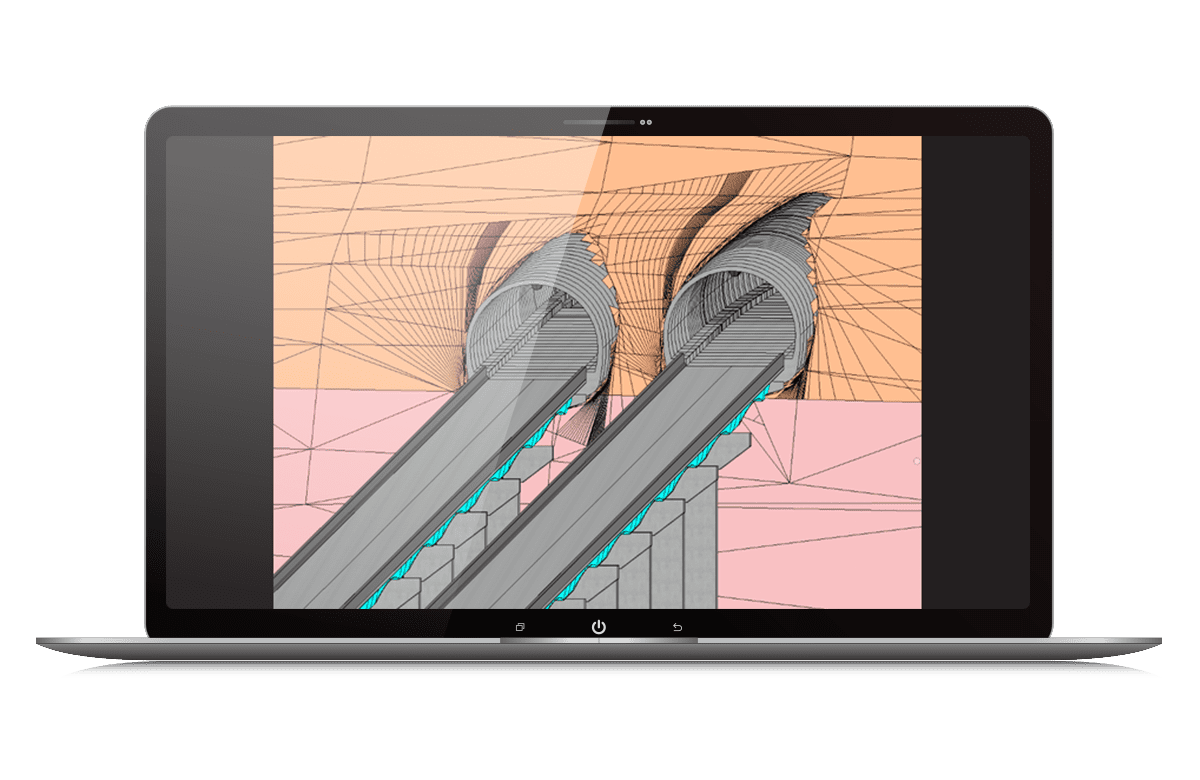
Modellazione automatizzata di tunnel
Create con facilità oggetti e informazioni specifici per il tunnel in un’unica applicazione che tutti i membri del team possono utilizzare in modo intuitivo. Eliminate la codifica, lo scripting e le procedure di lavoro.

Analisi di stabilità integrata
Condividete e sfruttate facilmente una varietà di formati di file tra gli stakeholder del progetto.
Prevenite errori, modifiche e costosi ritardi con dati sempre aggiornati.

Flusso di lavoro all-in-one con PLAXIS
Importate agevolmente i modelli OpenTunnel esistenti in PLAXIS e generate il modello analitico con un semplice clic.
Sostituite la rigenerazione dei modelli con tempo extra per l’analisi e l’ottimizzazione dei progetti.
Incorporare tutti i dati
Prendete decisioni migliori fin dall’inizio del progetto grazie alla possibilità di combinare, organizzare e gestire più rapidamente i dati geotecnici e sulle condizioni esistenti senza sacrificare la precisione.
Sfruttate con precisione i dati relativi agli strati di terreno e alle infrastrutture lineari.
Fate riferimento ai corridoi stradali e ferroviari e alle strutture dei ponti nel modello OpenTunnel Designer e importate facilmente le mesh del terreno con le versioni IFC 4.0 e 4.3.
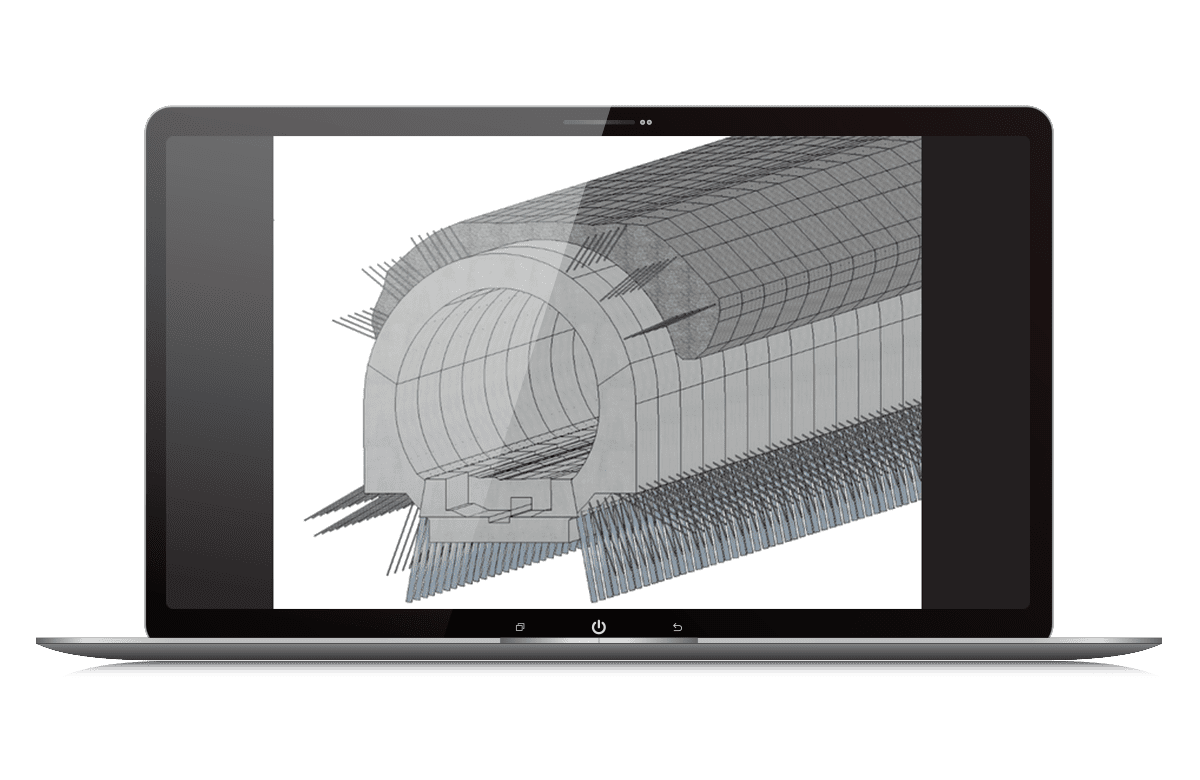
Modellare, simulare e dettagliare la costruzione di gallerie
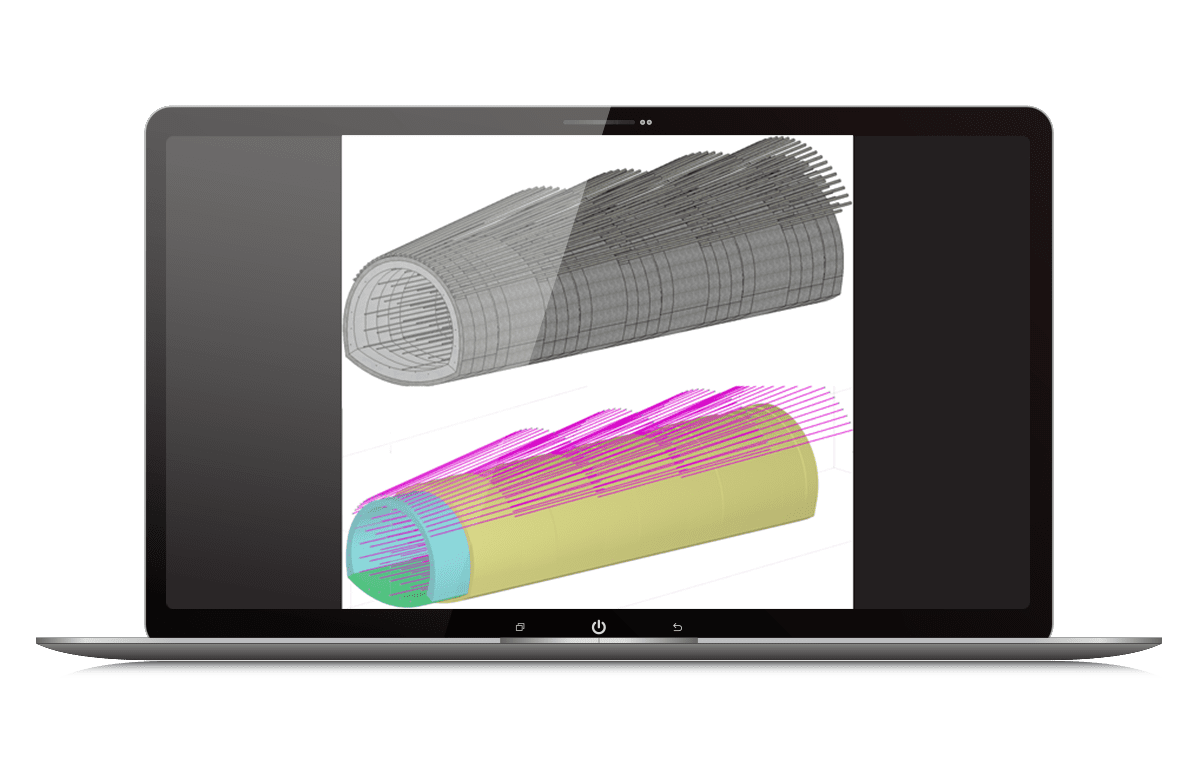
- Modellate la forma completa dello scavo, le piste di scavo, il rivestimento e l’armatura della galleria per le gallerie convenzionali e meccanizzate.
- Modellate gli elementi interni che devono essere estrusi lungo la lunghezza della galleria o posizionati come celle lungo un percorso specifico, come marciapiedi, condotti, passerelle per cavi e altro ancora.
- Risparmiate tempo prezioso nella progettazione, in quanto le modifiche vengono aggiornate automaticamente nelle visualizzazioni, nella produzione dei piani e nei rapporti sulle quantità.
- Modellare e dettagliare l’armatura del rivestimento della galleria. Fate riferimento al modello di rivestimento di OpenTunnel in ProConcrete e vedrete che le modifiche si rifletteranno automaticamente nei dati di armatura e nei documenti da consegnare in base alle modifiche della geometria del rivestimento della galleria.
Eseguire analisi geotecniche
Massimizzate la produttività e risparmiate tempo creando più modelli analitici in pochi minuti e non in giorni.
È sufficiente specificare le stazioni per la sezione trasversale come base del modello analitico 2D o inviare intere gallerie dal modello BIM 3D a PLAXIS con un semplice clic, senza necessità di programmazione.
Creare disegni e Reports di Tunnel
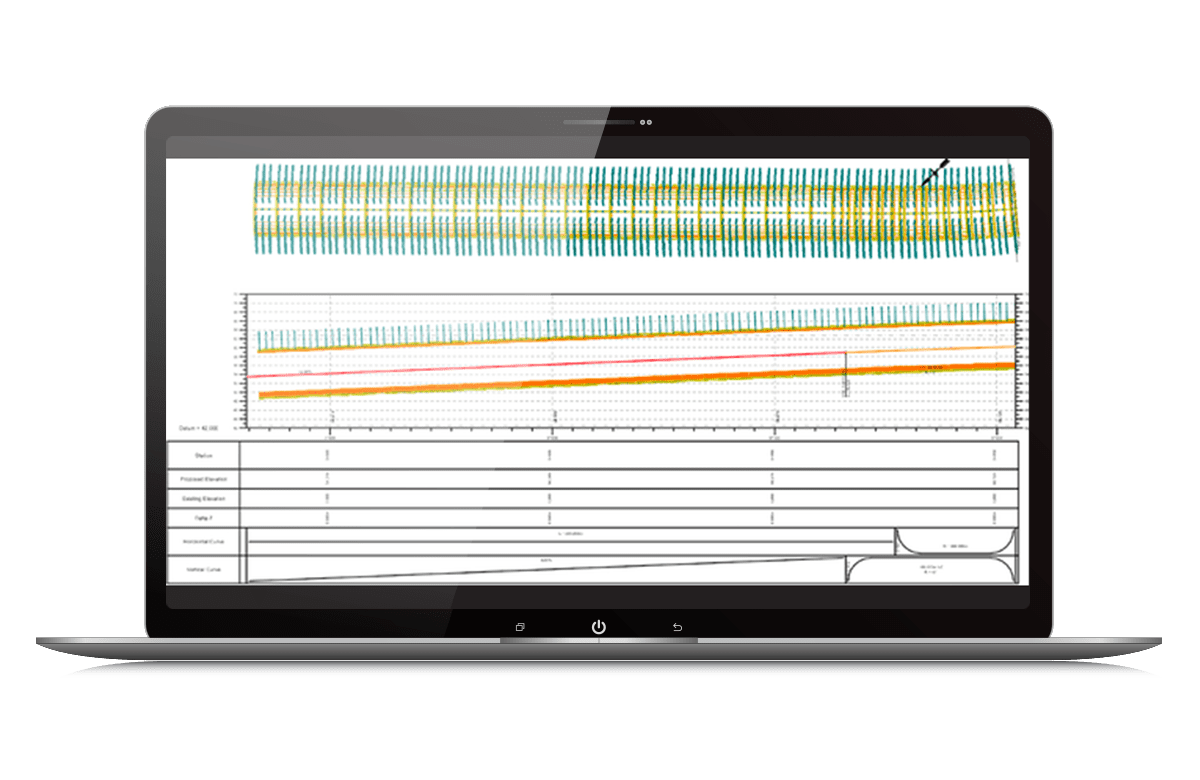
Semplificate il processo di produzione dei disegni. I disegni delle piante, dei profili e delle sezioni trasversali possono essere facilmente generati utilizzando i potenti strumenti di produzione dei disegni di OpenTunnel Designer.
Mantenete i vostri progetti in ordine con i reports specifici per le gallerie, basati sulle ultime modifiche, per un calcolo accurato dei costi e delle quantità.
Le novità di OpenTunnel Designer 2026
OpenTunnel Designer (OTD) 2026.00.00 contains the enhancements and error corrections mentioned in the following paragraphs.
I. TechnologyStack
- MicroStation PowerPlatform 26.0 (26.0.0.974)
- Civil Platform (26.0.0.365)
- Certified with PW v25.0.01.8026
- CONNECTION Client (25.0.2.19)
II. OpenTunnel Designer Enhancements Highlights
- Steel arches – the tool provides the option to model steel arches reinforcement using catalog shapes (standard shapes). A new option for activating different country specific codes for catalog shapes has been added in OpenTunnelDesigner.cfg. The detailing of these elements will require interoperability with ProSteel (ProStructures). For version 2026, these elements are not transferred to PLAXIS.
- TBM UTR As Built – the tool provides the option to create a TBM UTR tunnel based on a list of ring positions and associated rotations along the alignment. The tool can be used to create as built digital twins or to force a specific configuration during the design process.
- Reports enhancements – the reports have been updated to reflect the new added elements. A new report for TBM UTR As Built has been added.
III. MicroStation Enhancements Highlights included in OpenTunnel
- GCS Dialog Improvement – Improvement in the dialog for Geographic Coordinates System .
- Text Editor Enhancements – Lists e.g. Bullet points, Numbered, Lettered, Case formats.
- Cloud based – Component Center 2.0 – Download cells from Component Center.More information regarding MicroStation enhancements can be found here : What’s New in MicroStation 2026
IV. OpenTunnel Designer Error Corrections
- Fixed an issue where section names in the quantities report were not matching with the section name prefix input that have been defined while placing tunnels.
- Fixed an issue where OTD was crashing while opening Material Editor .
- Fixed an issue where perforators were not cutting the solid if the profile of the alignment had different length .
- Fixed an issue where auxiliaries placed by Along Tunnel method were not showing the correct length value coming from TBM tunnel.
- Fixed an issue where auxiliaries placed by custom method and cell type auxiliaries are not following deviated alignment created by TBM UTR commands.
- Fixed an issue where cell type auxiliaries were moving both in vertical and horizontal direction when horizontal offset has been defined.
- Fixed an issue where common reference lines were not shown under subsequent tunnel units.
- Fixed an issue where OTD was crashing after modifying the variables of tunnel/portal templates multiple times in Tunnel/Portal catalogs.
- Fixed an issue where shotcrete and excavation subspaces were rotating with each ring for TBM UTR tunnels.
- Fixed an issue where a warning was given after selecting the reinforcement on Explorer and modifying the properties.
- Fixed an issue where the voids were not getting refilled after deleting the perforators by selecting all elements in the wrapper.
Requisiti di Sistema di OpenTunnel Designer
Processor
Intel Pentium-based or AMD Athlon-based processor 2.0 GHz or greater.
Operating System
Microsoft Windows 10 (64-bit), Windows 11 (64-bit)
Memory
8 GB minimum, 32 GB recommended
Disk Space
10 GB minimum free disk space
Video
1 GB of RAM or greater
For the most up-to-date system requirements, visit Bentley Communities.